Friday, March 2, 2012

Delicious Bookmark Buttons With Counter For Blogger

Posted by Kristabella Rhea at 11:31 AM 0 comments
Delicious Bookmark buttons With Counter For Blogger,you are listening right.Since all the social sites have made the bookmark buttons with counter but delicious has not made till yet.But now we have made it available to our blogger users.And the buttons look very nice too.As we have tried to make the button style to look more beautiful.We have made both the versions of buttons like retweet button.Simple version and compact version.You can use any you like.The button is using both script and css.You not need to know script but if you know css you can style it in any style you want,to adjust to your blog and can use any image for it and any color.Its more flexible to use and works same like retweet counter.

If you dont know about retweet button you can get it here,how add retweet counter button.


*A normal counter button like retweet button

*A Compact version which fits in less space

Installation

Just Login to Blogger Go to (Dashboard → Layout → Edit HTML → Press Ctrl+F)
Now find for ]]></b:skin> and place the below css before it and hit save template.

.share-delicious{
width:50px;
height:63px;
text-align:center;
}

.delicious{
width:50px;
height: 45px;
background: url(https://blogger.googleusercontent.com/img/b/R29vZ2xl/AVvXsEg1QB3Bwut4Q0XSQj6KU0eYiSYA8oaUidHhnt_LYJl-ZEKGYR7Lci0N9-bnRluaZ0UdQ-FA1QDqwWTN_qqfyLtjctcgdhWBdi9P_bnxCy27N7cKlfVF420UYsYOxLOwpODcV-eticTLrqI/s1600/del+above.png) no-repeat;
font-weight: bold;
font-size: 16px;
font-family:arial;
color:#adadad;
margin:0 auto;
line-height:36px;
}
.delicious-b{
font-size:10px;
text-transform:none;
color:#FFF;
margin:0 auto;
width:50px;
height:17px;
line-height: 17px;
}
.delicious-b a:link, .delicious-b a:visited{
color:#FFF;
font-weight:normal;
background: url(https://blogger.googleusercontent.com/img/b/R29vZ2xl/AVvXsEiHzQynlr5gMkkouXrS4AABm_tkESVePBgcUXgpU0nL4wboZRMBDDzyiwAadNUs-caW8SGl8k9oEUv_D-EMkL9tGtnF-ADJF0HaG91ymge6ORZP6DnQOPukxBRCnVlxVI-usUGx7U5oNsE/s1600/del+new.png) no-repeat;
display: block;
text-decoration:none;
}
.delicious-b a:hover{
color:#11788b;
font-weight:normal;
text-decoration:none;
background: url(https://blogger.googleusercontent.com/img/b/R29vZ2xl/AVvXsEiHzQynlr5gMkkouXrS4AABm_tkESVePBgcUXgpU0nL4wboZRMBDDzyiwAadNUs-caW8SGl8k9oEUv_D-EMkL9tGtnF-ADJF0HaG91ymge6ORZP6DnQOPukxBRCnVlxVI-usUGx7U5oNsE/s1600/del+new.png) no-repeat center -17px;
display: block;
}

Now you have to place the code for button to make it work.Just expand widgets templates by check marking it.Now again search for below line.

<data:post.body/>

After Getting this,place the below codes after it to have button after post and before it to have button at begining of post.

<b:if cond='data:blog.pageType == &quot;item&quot;'>
<div class='share-delicious'>
<div class='delicious' id='delic'>0</div>
<div class='delicious-b'><a expr:href='&quot;http://del.icio.us/post?url=&quot; + data:post.url + &quot;&amp;title=&quot; + data:post.title' target='blank'>delicious</a></div>
<script type='text/javascript'>
function delic(info) {
if(!info[0]) return;
var num = info[0].total_posts;
if(!num) return;
var delic = document.getElementById(&#39;delic&#39;);
delic.innerHTML = &#39;&#39; + num;
delic.style.textIndent = 0;
delic.style.paddingRight= &#39;6px&#39;;
}
</script>
<script expr:src='&quot;http://badges.del.icio.us/feeds/json/url/data?url= &quot; + data:post.url + &quot;&amp;callback=delic&quot;'/>
</div>
</b:if>
<div class='clear'/>

Now just note some colored lines in above codes to use or not.Please use the red lines in above codes if you want to see the delicious button only on post pages else remove them.And use the bold green line at end only if your button is making trouble with other content and floating with it.Like if you add this button at top of post,the post description starts immediately after the button which looks bad.So to make start post description in seperate line you can use the dark green line.Below image will make clear to you what i am saying.


If you will use green line the above image error will not happen. 

Compact Button css

Just use below css instead of above one to make it in compact style.

.share-delicious{
width:100px;
height:19px;
text-align:center;
font-family:arial;
}
.delicious{
width:46px;
height: 19px;
background: url(https://blogger.googleusercontent.com/img/b/R29vZ2xl/AVvXsEjQZhTYvMZKmcx1Y23bT9jK9UwfhRUR_zQ0gUPql0WT0yHP3Xrlqw_DkD9swbo4IhyphenhyphenVsOYDgdXDWe99bJLYwDQ-Mp4UIz0hKI5AdlfWUvu_mxC90XeQcyhyphenhyphenOYJE7fiGqYw9t_c1j9TP0lQ/s1600/comp+del.png) no-repeat;
font-weight: bold;
font-size: 13px;
color:#999;
margin:0 auto;
line-height:18px;
float:left;
}
.delicious-b{
font-size:10px;
text-transform:none;
color:#FFF;
margin:0 auto;
width:50px;
height:17px;
line-height: 17px;
float:left;
}
.delicious-b a:link, .delicious-b a:visited{
color:#FFF;
font-weight:normal;
background: url(https://blogger.googleusercontent.com/img/b/R29vZ2xl/AVvXsEiHzQynlr5gMkkouXrS4AABm_tkESVePBgcUXgpU0nL4wboZRMBDDzyiwAadNUs-caW8SGl8k9oEUv_D-EMkL9tGtnF-ADJF0HaG91ymge6ORZP6DnQOPukxBRCnVlxVI-usUGx7U5oNsE/s1600/del+new.png) no-repeat;
display: block;
text-decoration:none;
}
.delicious-b a:hover{
color:#11788b;
font-weight:normal;
text-decoration:none;
background: url(https://blogger.googleusercontent.com/img/b/R29vZ2xl/AVvXsEiHzQynlr5gMkkouXrS4AABm_tkESVePBgcUXgpU0nL4wboZRMBDDzyiwAadNUs-caW8SGl8k9oEUv_D-EMkL9tGtnF-ADJF0HaG91ymge6ORZP6DnQOPukxBRCnVlxVI-usUGx7U5oNsE/s1600/del+new.png) no-repeat center -17px;
display: block;
}

I hope Now you will be able to use the delicious buttons to your blogger blog very easily and special thanx to woork for script which i saw him using on his wordpress blog and to cheth who provided me with beautiful delicious counter images to make an complete beautiful delicious bookmark counter for you.
read more "Delicious Bookmark Buttons With Counter For Blogger"

Tuesday, February 21, 2012

one two three

Posted by Kristabella Rhea at 1:31 AM 1 comments


Lorem ipsum dolor sit amet, consectetuer adipiscing elit. Quisque sed felis. Aliquam sit amet felis. Mauris semper, velit semper laoreet dictum, quam diam dictum urna, nec placerat elit nisl in quam. Etiam augue pede, molestie eget, rhoncus at, convallis ut, eros. Aliquam pharetra. Nulla in tellus eget odio sagittis blandit. Maecenas at nisl. Nullam lorem mi, eleifend a, fringilla vel, semper at, ligula. Mauris eu wisi. Ut ante dui, aliquet nec, congue non, accumsan sit amet, lectus. Mauris et mauris. Duis sed massa id mauris pretium venenatis. Suspendisse cursus velit vel ligula. Mauris elit. Donec neque. Phasellus nec sapien quis pede facilisis suscipit. Aenean quis risus sit amet eros volutpat ullamcorper. Ut a mi. Etiam nulla. Mauris interdum.

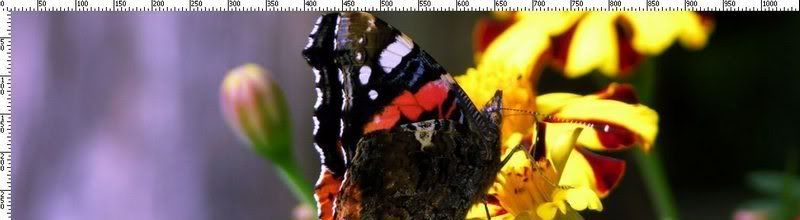
THIS IMAGE WIDTH IS 820px. please, Click it, to know the real size

Lorem ipsum dolor sit amet, consectetuer adipiscing elit. Quisque sed felis. Aliquam sit amet felis. Mauris semper, velit semper laoreet dictum, quam diam dictum urna, nec placerat elit nisl in quam. Etiam augue pede, molestie eget, rhoncus at, convallis ut, eros. Aliquam pharetra. Nulla in tellus eget odio sagittis blandit. Maecenas at nisl. Nullam lorem mi, eleifend a, fringilla vel, semper at, ligula. Mauris eu wisi. Ut ante dui, aliquet nec, congue non, accumsan sit amet, lectus. Mauris et mauris. Duis sed massa id mauris pretium venenatis. Suspendisse cursus velit vel ligula. Mauris elit. Donec neque. Phasellus nec sapien quis pede facilisis suscipit. Aenean quis risus sit amet eros volutpat ullamcorper. Ut a mi. Etiam nulla. Mauris interdum.


TEST FONT 1

TEST FONT 2
TEST FONT 3
TEST FONT 4
TEST FONT 5

Lorem ipsum dolor sit amet, consectetuer adipiscing elit. In tellus nisl, tincidunt vel, tincidunt vel, gravida ac, odio.
TEST QUOTE TEXT....
imentum, quam at aliquet consectetuer, arcu augue condimentum turpis, ut accumsan augue lacus nec felis. Sed volutpat euismod nisl. Cras vel massa. Nunc nec elit. Fusce eleifend iaculis purus. Suspendisse potenti. Etiam fermentum metus at nisi. Aliquam varius tellus faucibus lacus. Pellentesque faucibus arcu a tortor. Suspendisse nisi leo, rutrum nec, blandit nec, tincidunt ut, enim. Cras quis nisl. Mauris porta. Sed non mi. Fusce commodo sem. In hac habitasse platea dictumst. Cum sociis natoque penatibus et magnis dis parturient montes, nascetur ridiculus mus. Mauris sed eros eu augue luctus hendrerit.
Aliquam fringilla auctor justo. Donec pulvinar, felis sed blandit lacinia, nisi felis euismod erat, ac sollicitudin odio nulla non pede.

TEST LIST NUMBER
  1. Integer sit amet augue.
  2. Donec eget nisl vel neque ultricies pharetra.
  3. Integer neque ligula, facilisis sit amet,
TEST LIST BULLET
  • porta ut, gravida nec, purus.
  • Quisque malesuada ligula vitae eros.
  • Duis consectetuer sollicitudin nisi.
TEST QUOTE TEXT
Cum sociis natoque penatibus et magnis dis parturient montes,
nascetur ridiculus mus. Nulla a tortor.
Quisque vitae quam.
Pellentesque ante nibh, varius sit amet,
sagittis ac, vulputate eget, turpis.
Donec eget nibh. Aliquam sit ame
t quam eget pede auctor ornare.
Curabitur et magna in urna cursus hendrerit.
Etiam auctor, turpis volutpat vehicula sollicitudin, leo quam venenatis libero, eget vehicula lectus lectus vitae leo.
  1. od, sapien et rutrum tincidunt, purus urna consectetuer massa, sed lacinia dui est eget felis. Nam volutpat.
  2. Nulla ante est, congue eu, ultricies ultricies, congue at, velit. Donec ante. Integer vitae quam vel orci venenatis consectetuer. In hac habitasse platea dictumst.
read more "one two three"
 

Whiteixora Style Copyright © 2012 Template Designed by Whiteixora Sugarplum Inspired by Ipietoon